


How to choose the best conference room camera
The camera is the single most visible piece of technology in any meeting room. Here’s what to look for when choosing a conference room camera, from resolution and field of view to AI-powered tracking and platform compatibility.


How to choose the best conference room camera
Eight out of ten professionals spend more than a third of their time in meetings—and in today’s hybrid workplace, most of those meetings include at least one remote participant. According to the Cisco Hybrid Work Index, 98% of all meetings now have a remote component. That makes the conference room camera one of the most consequential technology investments in any office.
A great camera makes remote participants feel present. A poor one makes them feel like afterthoughts. This guide walks through everything you need to consider when choosing a conference room camera, from resolution and field of view to AI-powered speaker tracking, audio integration, and platform compatibility.
What to look for in a conference room camera
Before choosing a conference room camera, you need to understand your rooms, your meeting patterns, and your tech ecosystem. Here are the key factors to evaluate:
Resolution and frame rate
Choose cameras with a minimum of 1080p resolution. This provides adequate detail for clear video in most meeting environments. For larger rooms or situations where visual detail matters (product demos, whiteboard presentations, design reviews), consider 4K resolution. Aim for at least 30 fps for smooth video playback; higher frame rates above 60 fps typically offer diminishing returns for standard conferencing while consuming more bandwidth.
Field of view (FOV)
FOV determines how much of the room the camera captures. The right FOV depends on room size and layout:
- Huddle spaces (2–4 people): 120° to 180° wide-angle to capture closely seated participants
- Standard conference rooms (6–12 people): 70° to 120° for balanced coverage without edge distortion
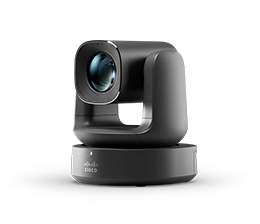
- Large rooms and boardrooms: Narrower FOV or PTZ (pan-tilt-zoom) cameras to focus on distant speakers or specific areas like a presenter podium
AI-powered speaker tracking and framing
This is where modern conference room cameras have advanced most dramatically. AI-powered cameras automatically detect who’s speaking, adjust the frame to center them, and switch between participants dynamically, creating a natural, broadcast-quality experience for remote viewers. Frost & Sullivan named Cisco the global leader in meeting room video conferencing devices in 2025, citing AI-powered camera intelligence as a key differentiator.
Look for cameras that offer:
- Automatic speaker tracking that follows the active speaker
- Group framing that adjusts to include all participants in the room
- Presenter tracking for speakers who move around the room
- Multi-camera orchestration for cinematic meeting experiences in larger spaces
Automatic lighting adjustment
Modern conference room cameras include sensors that automatically adapt to lighting conditions, adjusting exposure and white balance for bright, dim, or backlit environments. This ensures consistent video quality throughout the day without manual intervention. If your meeting rooms rely on natural light, this feature is essential.
Zoom capabilities
Optical zoom maintains image clarity while magnifying distant subjects, far superior to digital zoom, which degrades quality. Cameras with higher zoom ratios are particularly valuable in large conference rooms where the distance between camera and participants is significant. Combined with auto-framing, zoom ensures that visual materials, whiteboard content, and distant speakers remain clearly visible to remote viewers.
Audio integration
The best conference room camera setups consider audio and video together. Evaluate whether the camera includes built-in microphones, how well they capture sound across the room, and whether the system supports external microphone arrays for larger spaces. In a conference room, audio quality often matters more than video quality—participants will tolerate imperfect video far longer than garbled or echoing audio.
Platform compatibility
Your conference room camera needs to work with the meeting platforms your organization uses, whether that’s Webex, Microsoft Teams, Zoom, Google Meet, or multiple platforms. Look for cameras certified for your primary platforms and that support multi-platform interoperability so IT doesn’t need to reconfigure devices between meetings.
Setup and installation
Many modern cameras offer plug-and-play USB connectivity with no additional drivers required. For more integrated setups (dedicated conference room systems), installation may involve network configuration and platform enrollment, but manufacturers are simplifying this with tools like centralized management dashboards and automated deployment wizards.
Security
Conference room cameras in business environments must support encrypted data transmission, secure connection protocols, and regular firmware updates to address vulnerabilities. For sensitive environments like legal, healthcare, and finance, confirm platform certification and compliance with relevant standards.
Choosing a conference room camera by room type
Different rooms need different solutions. Here’s a quick guide based on the best video conferencing equipment for 2026:
Personal desks and home offices
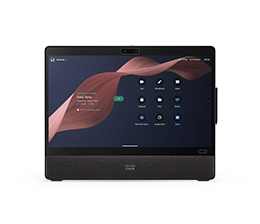
Individual webcams with HD or 4K resolution, auto-framing, and noise-cancelling microphones. These need to be lightweight, easy to mount, and deliver professional quality from any environment.
Huddle rooms (2–4 people)
All-in-one devices that combine camera, microphone, and speaker in a single unit. Wide-angle lenses capture everyone in a small space. Setup should be near-instant—plug in and go.
Standard conference rooms (6–12 people)
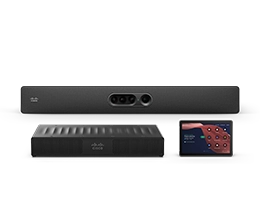
Dedicated room systems with intelligent cameras, separate audio peripherals, and integration with room scheduling panels. AI speaker tracking and group framing are essential at this scale.
Large conference rooms and boardrooms
Multi-camera systems with PTZ capabilities, cinematic framing, and professional-grade audio coverage. Solutions like the Cisco Room Kit Pro G2 replace the complexity of multi-vendor AV setups with a single, AVoIP-first platform that scales to the most demanding spaces.
Training rooms and presentation spaces
Presenter tracking cameras that follow a speaker as they move across a stage or room, combined with content cameras that capture whiteboards or physical materials. Remote participants should see both the presenter and their content simultaneously.
How AI is transforming conference room cameras
AI has fundamentally changed what conference room cameras can do. The most impactful AI capabilities include:
- Intelligent framing: AI detects the number and position of participants and adjusts the frame automatically with no manual camera control required.
- Active speaker tracking: The camera identifies who’s speaking and centers them in the frame, creating a more natural experience for remote viewers.
- Cinematic meeting modes: Multi-camera AI orchestration switches between close-ups of speakers and wide shots of the room, mimicking the feel of a produced broadcast.
- Background noise removal: AI-powered audio processing filters out HVAC noise, keyboard clatter, and other distractions.
- Workspace intelligence: Cameras with built-in sensors track room occupancy and environmental conditions, feeding data into workplace analytics platforms for space optimization.
- Gesture and reaction detection: Advanced systems can detect hand-raises and visual cues, improving engagement and inclusivity in hybrid meetings.
Common conference room camera mistakes to avoid
- Choosing based on specs alone: A camera with impressive resolution but no AI framing or speaker tracking will deliver a worse experience than a lower-res camera with intelligent features. Evaluate the complete experience, not just the spec sheet.
- Ignoring audio: A room with a great camera and terrible microphones produces meetings that look good but sound bad. Audio quality is often more important than video quality for meeting effectiveness.
- One-size-fits-all purchasing: Huddle rooms, standard conference rooms, and boardrooms have fundamentally different needs. Don’t deploy the same camera across every space.
- Forgetting about management at scale: If IT can’t monitor, update, and troubleshoot cameras remotely from a centralized dashboard, deploying across dozens or hundreds of rooms becomes unsustainable.
- Locking into a single platform: Organizations increasingly use multiple meeting platforms. Choose cameras that support interoperability so rooms work for any meeting, on any platform.
Conference room cameras from Cisco
Cisco Devices are purpose-built for modern workspaces — from personal desks to executive boardrooms. Powered by RoomOS and AI-driven camera intelligence, Cisco conference room cameras deliver speaker tracking, intelligent framing, cinematic meeting modes, and noise removal out of the box.
Every device integrates natively with the Webex platform while supporting fully featured Webex, Microsoft Teams, Zoom, and Google Meet meetings. IT teams manage everything from Control Hub—a single dashboard for device health, room analytics, workspace intelligence, and software updates across your entire deployment.
Tools like Workspace Designer let you plan and visualize your conference room setup in 3D before purchasing, with automatic recommendations for devices, layouts, and cable maps based on room size and use case.
Explore Cisco Devices and find the right conference room camera for every space in your organization.
Frequently Asked Questions About Conference Room Cameras
Related Resources
- The best video conferencing equipment for 2026
- A comprehensive guide to conference room technology
- Cisco named leader in Frost Radar: meeting room video conferencing
- Introducing RoomOS 26: innovation that powers connection
- Room Kit Pro G2, Desk Pro G2 & Wireless Phone 9821
- What’s new in Cisco Workspace Designer
- Work your way: meet on any platform with Cisco RoomOS
- 6 new ways to transform workspace reservation


