




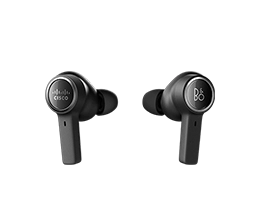

Your AI-powered business phone system.
Webex Calling delivers the reliability, global reach, and built-in AI your enterprise needs to move beyond legacy communications.
From the front desk to the supervisor desktop, see how Webex Calling capabilities keep your business connected.
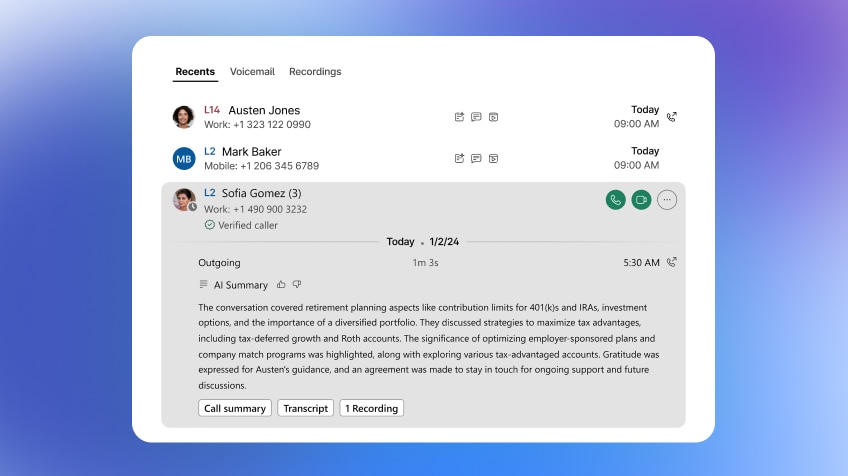
Leverage AI-powered summaries, context, and insights that elevate the calling experience.
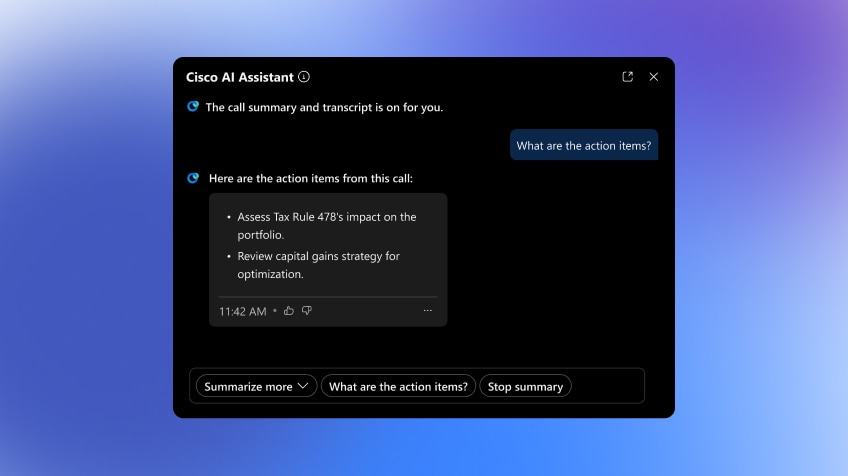
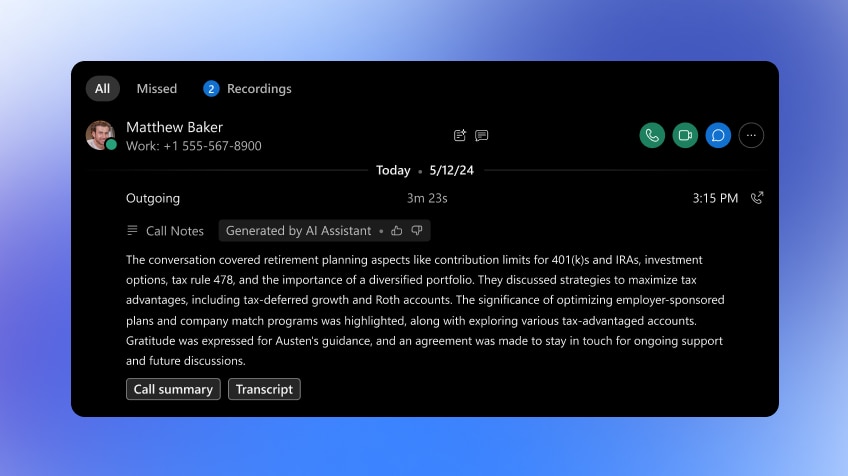

Webex Calling includes the core capabilities your organization depends on, managed from a single admin console and ready to scale as you grow.



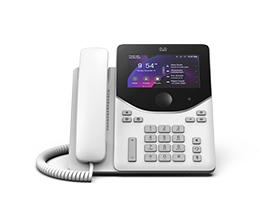
One business number, every device. Give mobile and remote employees enterprise calling that works the same on desktop, mobile, or desk phone.

Overcome the limitations of Teams Phone with enterprise-grade Webex Calling that integrates into Teams for a unified, single-app experience.

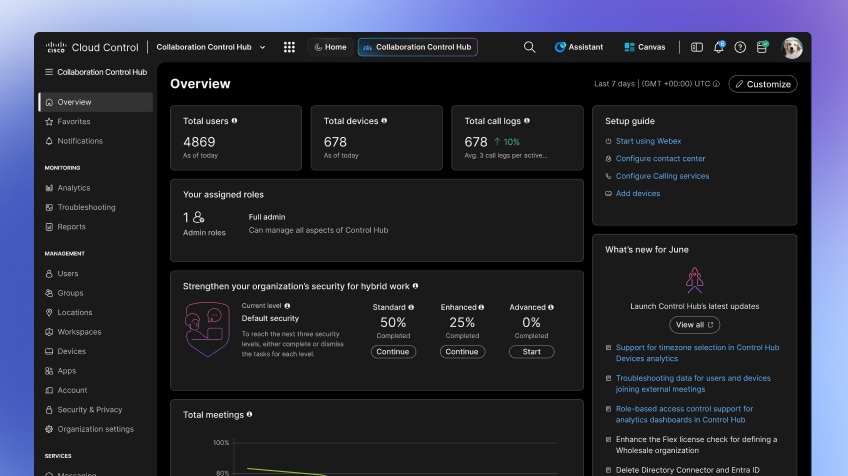
Control Hub gives you a single console that eases administration across your entire environment.


Never miss a call with AI Receptionist.
Extend Webex Calling with a 24/7 virtual front desk that answers questions, routes calls, and hands off with full context, so no call goes unanswered—all managed in Control Hub.
Webex Calling Customer Assist extends your calling solution with contact center capabilities for any employee.
-
 Voice Queues
Voice queues deliver a complete call center experience, including customizable greetings, estimated wait times, callback requests, and flexible routing options including skills or priority-based routing.
-
 Advanced Auto Attendant
Speech recognition lets callers navigate menus by voice. Text-to-speech makes it easy to generate and edit announcements, and multi-level menus guide callers to the right destination quickly.
-
 Click-to-call
Boost sales and enhance customer service by allowing customers to easily connect with your business via voice or video directly from your website.
-
 Caller Greetings
Greet callers with welcome and personable messages that can be customized with holiday and night schedules, forwarding rules, and announcements.
-
 Call Routing
Select from flexible priority or skills-based routing options to quickly direct callers to available agents.
-
 Webex App
Elevate any Webex Calling user to deliver exceptional customer experience with tools built in to the Webex App. Select queues, lines, and make every call more productive with CRM-integrated screen pops.
-
 AI Assistant for Agents
Make every interaction more efficient with tools like live call and post call summaries, translations and transcriptions, and the ability to share summaries with others.
-
Multi call window
Manage high call volume across multiple lines and queues from the multi call window, a compact window that's always available when you need it.
-
 Webex Calling for Microsoft Teams
Empower Teams users to enhance the customer experience with our native Webex Calling integration. Access Webex Calling tools directly from the Teams interface, and manage lines and queues from the multi call window.
-
 HD Voice
Make every conversation crystal clear with our industry-first HD Voice technology that eliminates background noise and improves audio quality on both ends of the call, so you can focus on what matters.
-
 Supervisor Desktop
Our new supervisor desktop provides immediate insight into agent activity across queues. Supervisors can quickly see the state of agents and add or remove agents from queues to accommodate for fluctuations in the call volume.
-
 Agent Assistance
Supervisors can assist agents with Webex Messaging, or barge, monitor, or whisper into calls for training, coaching, or customer assistance.
-
Call Sentiment for Supervisors
Elevate customer service with AI-powered Supervisor Sentiment Analysis. Equip supervisors with real-time sentiment insights and AI-driven call summaries, giving them a clear understanding of each interaction and ensuring every customer experience is exceptional.
-
 Supervisor Analytics
The supervisor desktop provides visibility into queue and agent KPIs, and graphical representations of key data like bounced and abandoned calls. These real-time and historic analytics enable supervisors to make data-driven decisions to enhance and optimize the overall customer experience.
-
 Attendant Console
Attendant Console provides receptionists, attendants, and operators with a single interface to easily manage a high volume of incoming calls. This powerful experience is built right into the Webex App to boost your productivity and work efficiency.
-
 Call Controls
Quickly connect callers with easily accessible call controls and visibility into current, parked, and conference calls.
-
 Contacts
See the presence of key colleagues, favorites, personal contacts, and your call history, so you always know who's available to take a call.
-
 Voice Queues (call console view)
See call activity and KPIs for your voice queues, including max waiting time, average call duration, and average call time.
-
Voice Queues
Voice queues deliver a complete call center experience, including customizable greetings, estimated wait times, callback requests, and flexible routing options including skills or priority-based routing.
-
Advanced Auto Attendant
Speech recognition lets callers navigate menus by voice. Text-to-speech makes it easy to generate and edit announcements, and multi-level menus guide callers to the right destination quickly.
-
Click-to-call
Boost sales and enhance customer service by allowing customers to easily connect with your business via voice or video directly from your website.
-
Caller Greetings
Greet callers with welcome and personable messages that can be customized with holiday and night schedules, forwarding rules, and announcements.
-
Call Routing
Select from flexible priority or skills-based routing options to quickly direct callers to available agents.
-
Webex App
Elevate any Webex Calling user to deliver exceptional customer experience with tools built in to the Webex App. Select queues, lines, and make every call more productive with CRM-integrated screen pops.
-
AI Assistant for Agents
Make every interaction more efficient with tools like live call and post call summaries, translations and transcriptions, and the ability to share summaries with others.
-
Multi call window
Manage high call volume across multiple lines and queues from the multi call window, a compact window that's always available when you need it.
-
Webex Calling for Microsoft Teams
Empower Teams users to enhance the customer experience with our native Webex Calling integration. Access Webex Calling tools directly from the Teams interface, and manage lines and queues from the multi call window.
-
HD Voice
Make every conversation crystal clear with our industry-first HD Voice technology that eliminates background noise and improves audio quality on both ends of the call, so you can focus on what matters.
-
Supervisor Desktop
Our new supervisor desktop provides immediate insight into agent activity across queues. Supervisors can quickly see the state of agents and add or remove agents from queues to accommodate for fluctuations in the call volume.
-
Agent Assistance
Supervisors can assist agents with Webex Messaging, or barge, monitor, or whisper into calls for training, coaching, or customer assistance.
-
Call Sentiment for Supervisors
Elevate customer service with AI-powered Supervisor Sentiment Analysis. Equip supervisors with real-time sentiment insights and AI-driven call summaries, giving them a clear understanding of each interaction and ensuring every customer experience is exceptional.
-
Supervisor Analytics
The supervisor desktop provides visibility into queue and agent KPIs, and graphical representations of key data like bounced and abandoned calls. These real-time and historic analytics enable supervisors to make data-driven decisions to enhance and optimize the overall customer experience.
-
Attendant Console
Attendant Console provides receptionists, attendants, and operators with a single interface to easily manage a high volume of incoming calls. This powerful experience is built right into the Webex App to boost your productivity and work efficiency.
-
Call Controls
Quickly connect callers with easily accessible call controls and visibility into current, parked, and conference calls.
-
Contacts
See the presence of key colleagues, favorites, personal contacts, and your call history, so you always know who's available to take a call.
-
Voice Queues (call console view)
See call activity and KPIs for your voice queues, including max waiting time, average call duration, and average call time.

See where Webex Calling is available and learn about our Certified Calling Provider partners.
Explore calling plans and find the right fit for your business.
Only Cisco delivers flexible deployment options.
Stay on-premises, modernize in place, or move fully to the cloud with flexible deployment options, on your terms.
Remain on premises with confidence, backed by ongoing Cisco UCM innovation, including version 16 and beyond, with continued security, performance, user experience, and AI-powered enhancements.
Modernize on your terms with a flexible path to cloud that lets you move by user, group, site, location, or region. Extend your existing UCM environment with cloud-based AI, PSTN, and Control Hub administration while preserving continuity.
Real world. Real success.
See how customers modernize their communications with Webex Calling.


Brinks migrated over 220 North American branches and 4,000+ users off an aging on-prem deployment to Webex Calling, without dropping a single one of its 150,000+ monthly customer calls.


Kennedy Space Center modernizes its communication infrastructure, replacing their aging PBX system with Webex Calling to deliver superior audio quality, streamlined deployment, and real-time troubleshooting.


Orange Business replaced on-premises call centers and desk phones across its global customer base with Webex Calling, giving over 360 multinational clients a faster, more scalable path to cloud communications.
Explore sessions covering the latest calling updates, innovations, and expert insights.





Modernizing your business communications begins with a flexible, enterprise-grade solution that’s built for where you are today, and where you want to be tomorrow.


