

Turn audiences into
active participants.

Webex Polling brings everyone into the conversation with live polls, audience questions, quizzes, surveys, and word clouds.

Create meaningful
interaction.

Invite participation during team calls, training, webinars, town halls, and all-hands meetings with live audience activities that make people part of the conversation.

Include more
voices.

Help participants share questions, feedback, and opinions in ways that feel comfortable, visible, and connected to the conversation.

Turn feedback into
direction.

Capture input, priorities, sentiment, and questions in real time so hosts can adapt the conversation and follow up with more clarity.

Features
Live engagement for meetings,
webinars, and events.

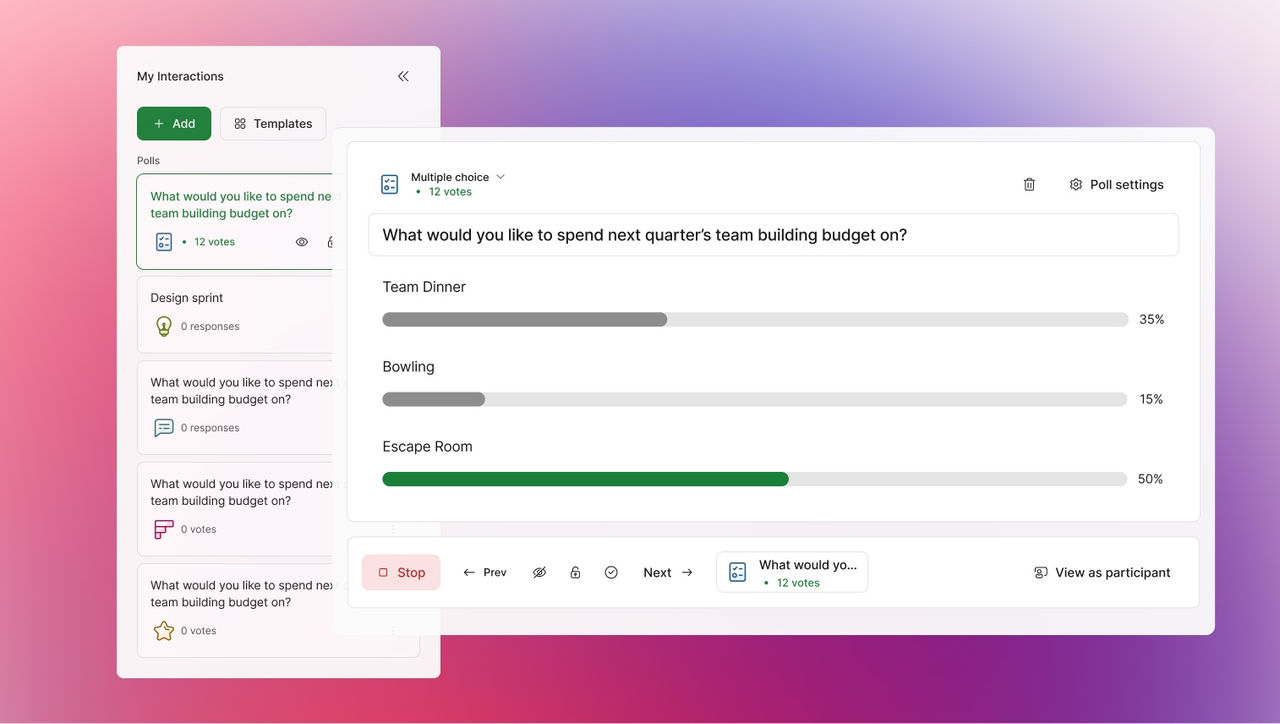
Ask the room in real time.

Use multiple-choice, open-text, and ranking polls to quickly collect input, guide the discussion, and include participant views in the meeting.
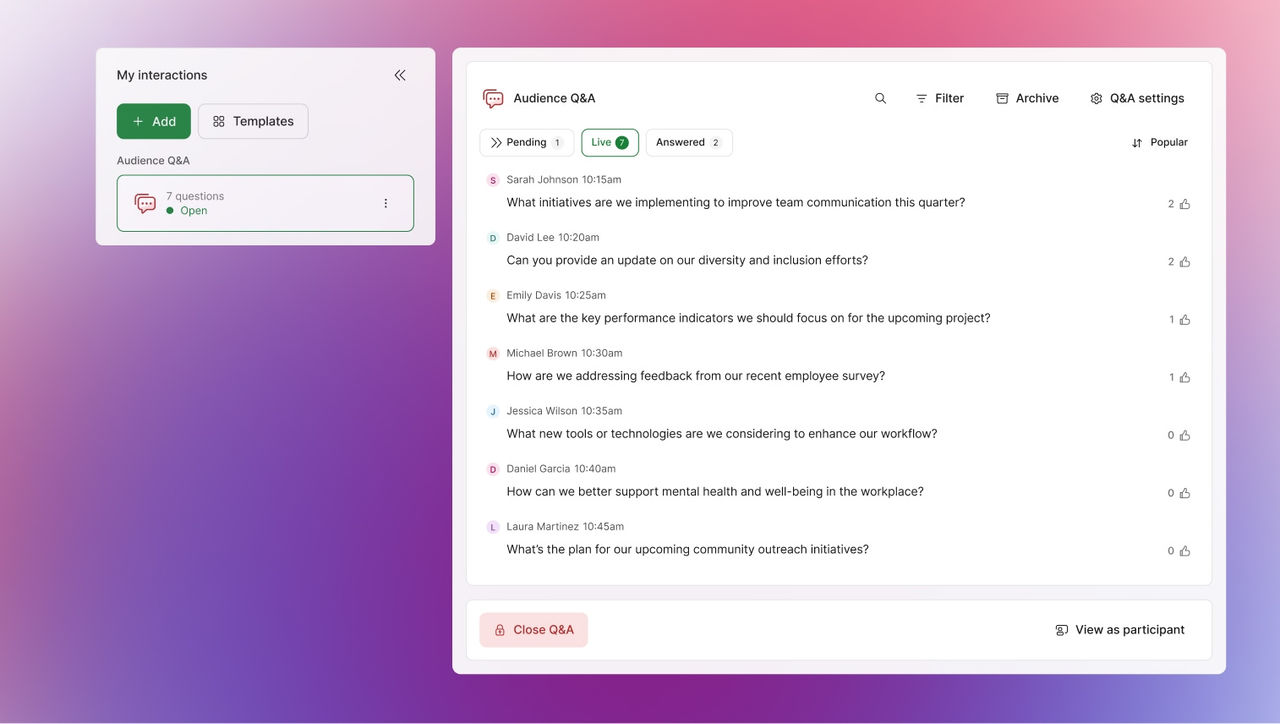
Make questions easier to ask and answer.

Let participants submit questions during the session while hosts review, organize topics, moderate the conversation, and address the questions that matter most.
Enable interactive learning.

Use quizzes to test understanding, reinforce key points, and encourage more engagement in trainings, classes, and team sessions.
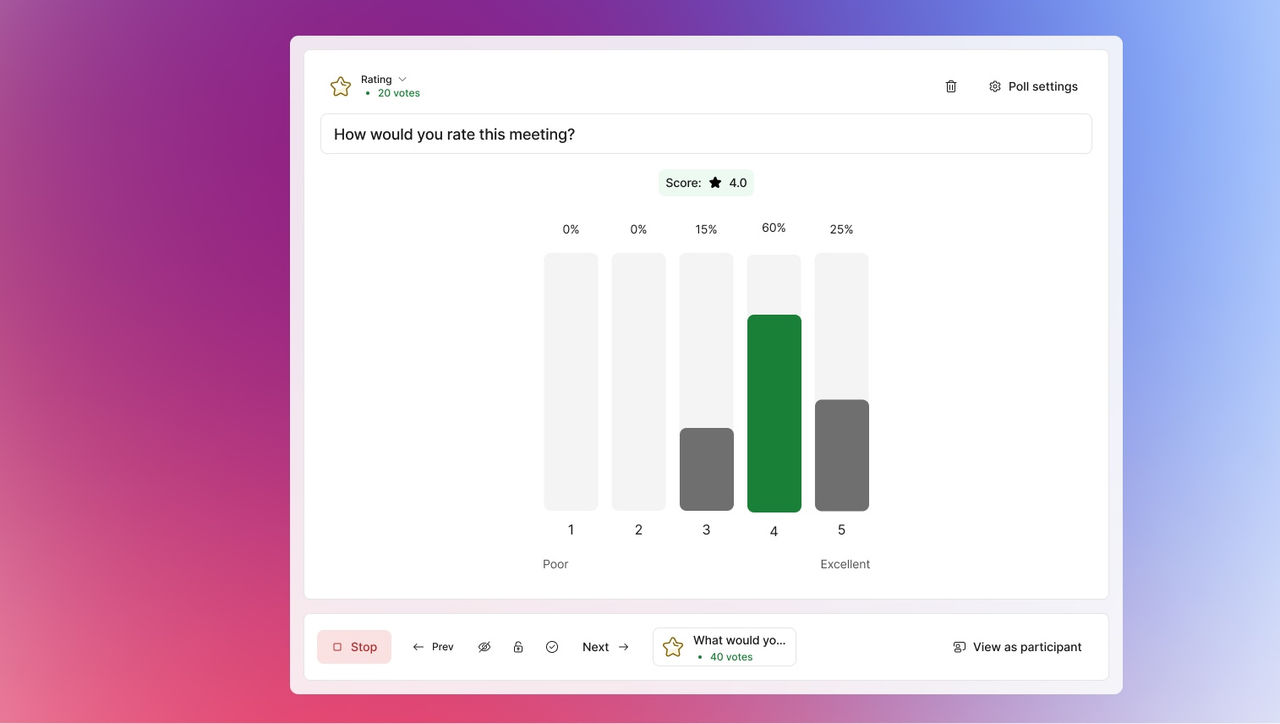
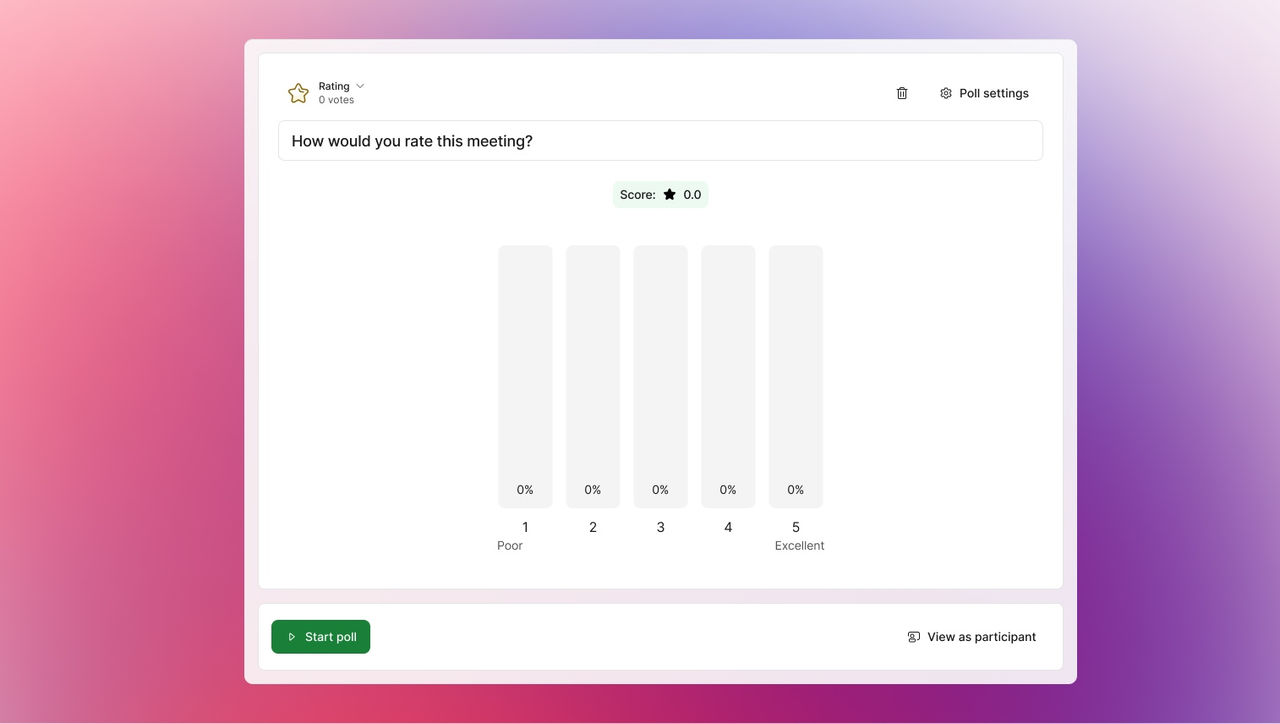
Capture feedback while the moment is fresh.

Gather participant feedback on sessions, topics, decisions, and next steps so teams can improve future meetings and webinars.
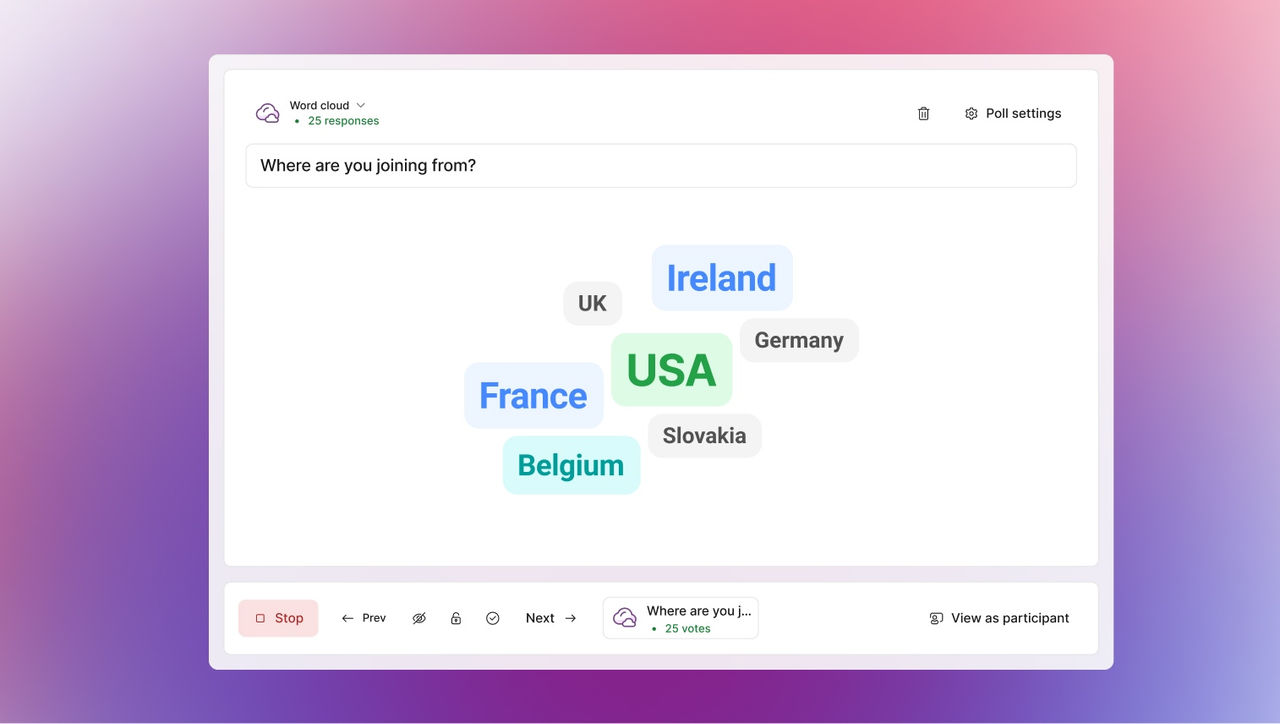
Visualize what is on their mind.

Turn short answers into a visual snapshot that helps hosts spot common themes, reactions, and priorities.
Let the audience rank what matters.

Use ranking and voting activities to help participants weigh options, surface preferences, and support more transparent decision-making.

Help hosts manage live input.

Review incoming questions, filter topics, group related themes, and keep the session moving toward the most useful conversation.
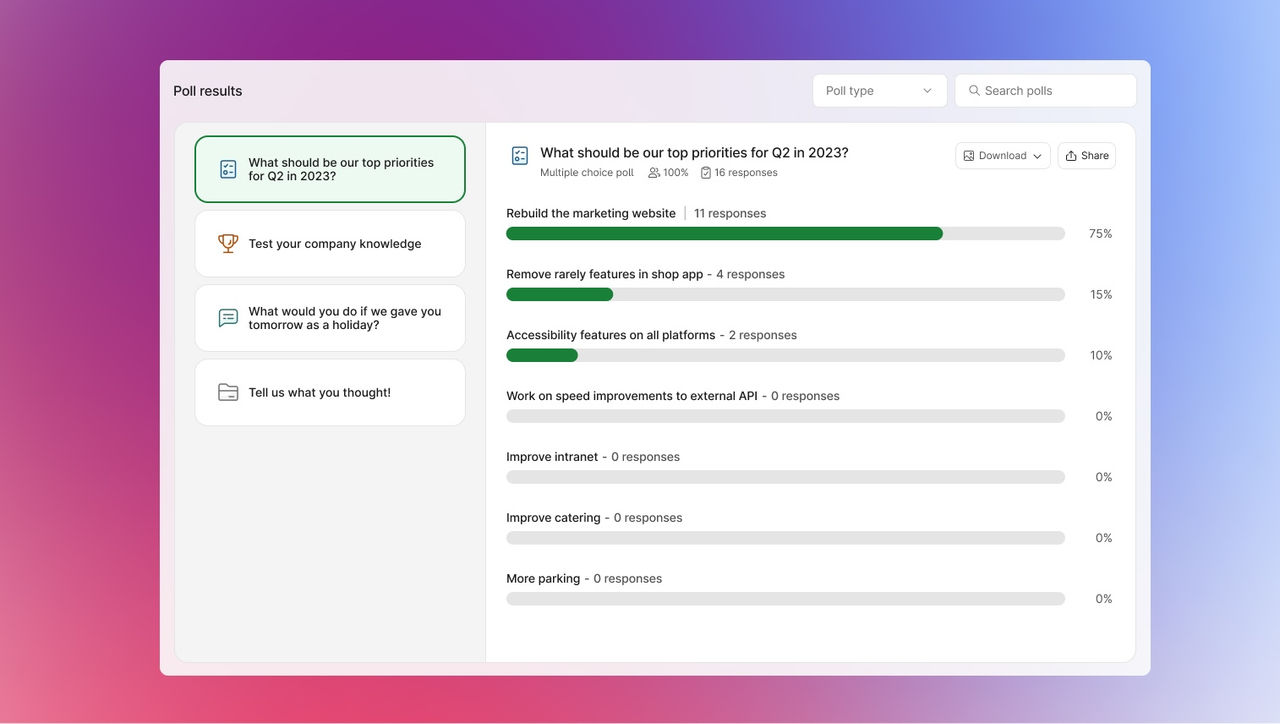
Learn from every interaction.

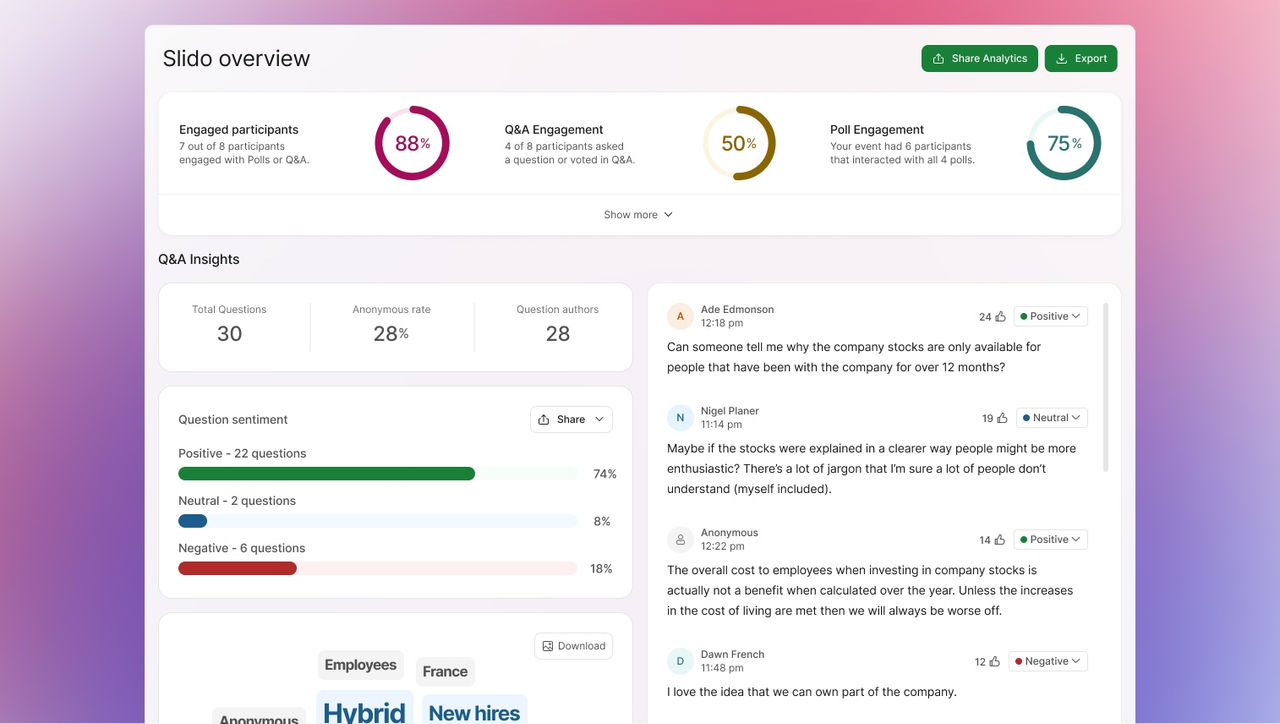
Review participation, questions, poll responses, and feedback after the session to understand what resonated and what needs more attention.
AI
AI that helps shape the
interaction.

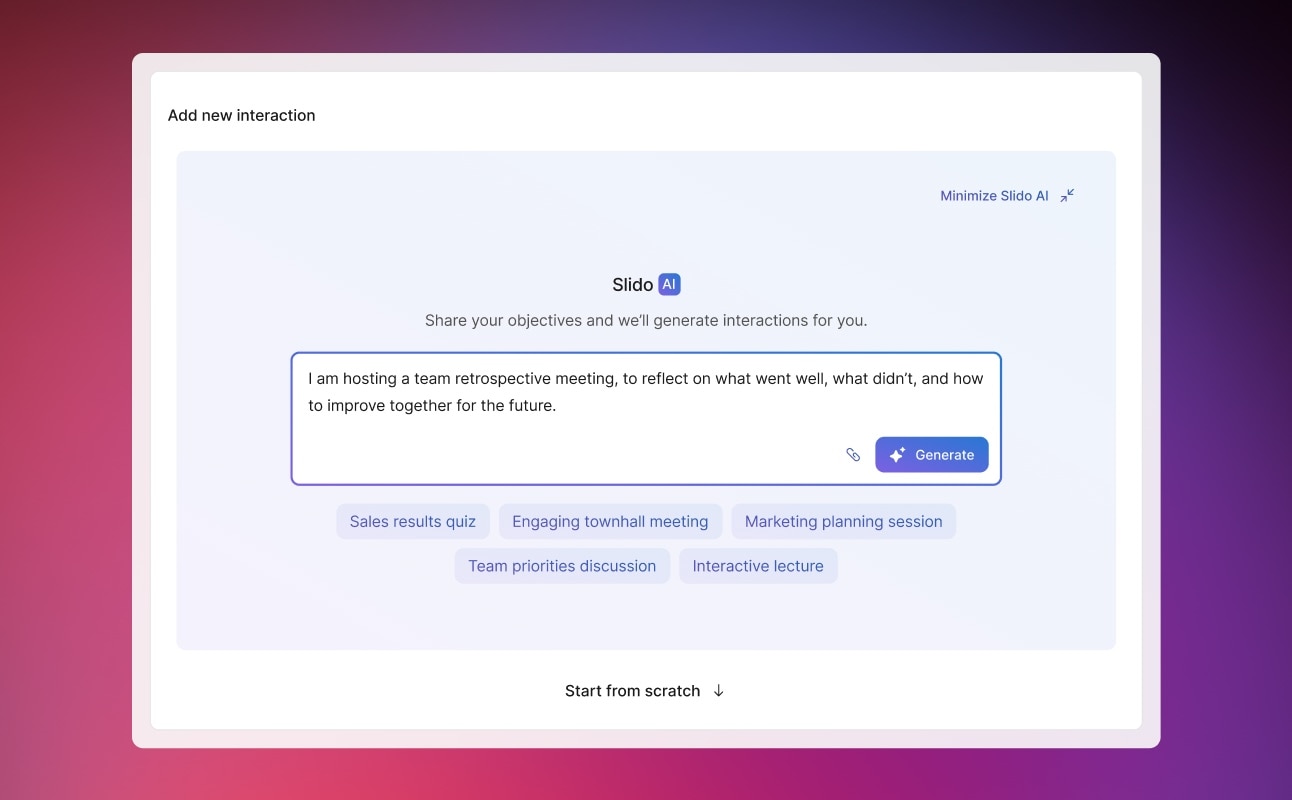
Save setup time and make interactive moments easier to build by using AI to suggest polls and quizzes that align to the material.
  • image
    Generate starting points.

    Use AI-assisted suggestions as a first draft for polls and quizzes, then edit the wording, answer choices, and format for the session.

  • image
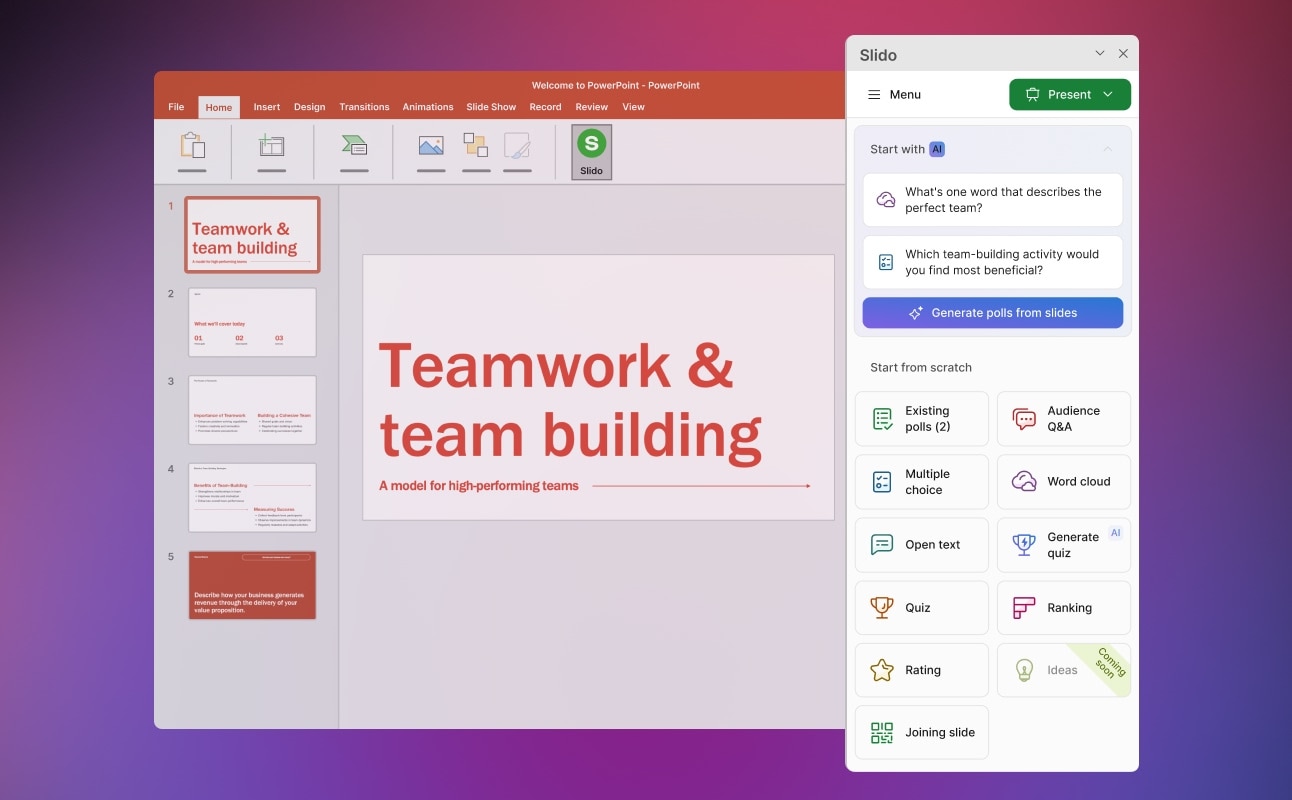
    Analyze your slide deck.

    Use AI to analyze your PowerPoint or Google Slides, suggest when to add polling and quizzes, and automatically place them into your deck.

  • image
    Suggest engagement in real time.

    During a meeting, the Polling Agent detects when a decision is being debated and automatically suggests a poll.

  • image
    Get insights from audience signals.

    Pair poll results, questions, and feedback with meeting follow up so hosts can respond to the audience after the live session ends.

  • Get the insights you need.

    Use the audience engagement to learn from every poll, question, and response.

    See who engaged

    Review poll responses, submitted questions, quiz activity, and feedback to understand how the audience participated.

    Dig into the responses

    Use results, question topics, and word clouds to spot recurring themes, knowledge gaps, and priorities.

    Make every session smarter

    Carry audience signals into future agendas, training content, webinar topics, and team follow-up.

    Real interactions. Real success.

    “Thanks to Slido, we can provide better learning by moving away from the speaker-led education to creating an environment where dialogue can happen.”

    “We have started incorporating Slido more and more, just to further engage our audience, create that interaction that people need and want to stay truly engaged with the material that they're presenting.”
    “Slido helps us to keep people involved and capture feedback instantly during our virtual training sessions. It also helps us demonstrate the return on investment to our clients.”

    1/3
    Resources, at your fingertips.
    Making Employee Engagement Quicker and Easier Than Ever with Slido AI
    With Slido, every meeting, webinar, and event is an opportunity to energize your audience to join the conversation. And now with AI integrated into the experience, it’s easier than ever.
    See the Polling Agent in Action
    With the Polling Agent at your side during a meeting or event, it automatically detects when a decision is being debated and suggests a poll.
    Keep things interactive with Slido for your Meetings, Events, and Webinars
    Learn how to ensure everyone feels heard, decisions can be made democratically, and connections can be strengthened between teams.
    FAQs
    What is the difference between Webex Polling and Slido?

    Webex Polling is the audience engagement experience powered by Slido technology. It brings live polls, Q&A, quizzes, surveys, and word clouds directly into Webex Meetings and Webex Webinars, giving teams familiar interaction formats within the Webex experience.

    Is Webex Polling included in my plan, or does it cost extra?

    Webex Polling availability depends on your Webex product, plan, licensing, and administrator configuration. Review Webex plans and pricing or contact your Webex administrator to confirm the features and participant limits available to your organization.

    Do participants need a Webex account or download to join a poll?

    Participants can respond through the Slido panel inside a supported Webex meeting or webinar. Hosts can also share a Slido code or link for supported experiences so participants can join from a browser; exact access requirements depend on how the session is configured.

    How many participants can take part in a poll or Q&A?

    Capacity varies by interaction type and Webex experience. Webex Polling supports large webinars, but hosts should confirm current polling, Q&A, and quiz limits when planning high-capacity sessions.

    Can participants respond to polls or questions anonymously?

    Hosts can allow participants to submit Q&A questions anonymously or by name. Poll response identity can also be managed based on the interaction type and host settings, helping teams collect candid feedback when anonymity matters.

    Can hosts export poll and Q&A results after a session?

    Yes. Hosts can view, analyze, and export polling data after a meeting or webinar, including overall results and, when collected, participant-level responses. Hosts can also review Q&A and quiz activity to identify popular questions, knowledge gaps, and follow-up opportunities.

    Is Webex Polling data secure?

    Webex Polling is supported by enterprise security, privacy, and administrative controls. Organizations can manage access and configuration alongside their Webex environment and review broader Webex security, privacy, and compliance guidance when evaluating data-handling requirements.

    Better audience engagement starts here.

    Get started with Webex Polling to create live polls, Q&A, quizzes, surveys, and more.