
Bring every audience
closer.

Webex Webinars is the scalable webinar platform for interactive and inclusive virtual events, featuring AI-powered engagement tools, language support, branding, rehearsal, and production tools.

Reach audiences
at scale.

Accommodate large audiences and connect with global viewers using webinar experiences designed for reach, language support, and smooth participation.

Keep attendees
involved.

Use moderated questions, live polling, chat, reactions, and gesture recognition to turn passive viewers into active participants.

Run the show with confidence.

Rehearse with panelists, manage the stage, guide content, and support attendees before, during, and after the event.

Features
Deliver better webinars from
start to finish.

Set every webinar up for success.

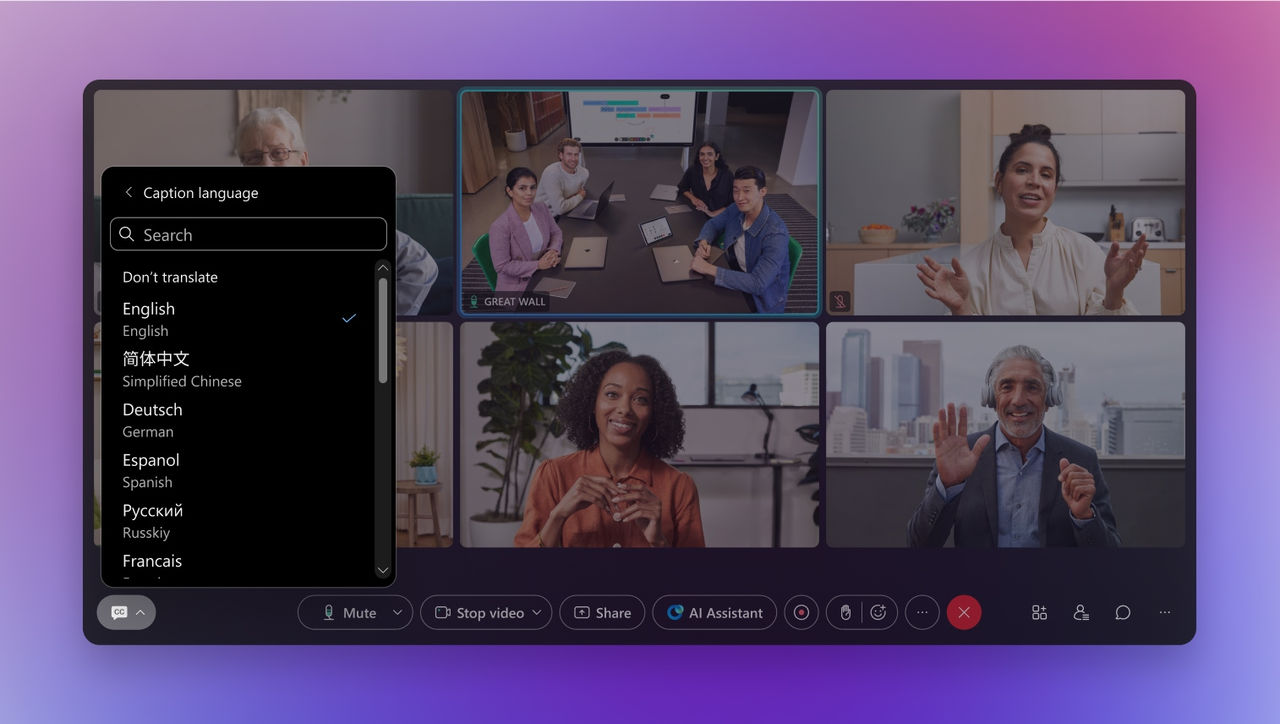
Plan webinars for audiences of any size with flexible registration, global language support, accessibility options, and the controls you need to deliver a polished experience from the start.
Customize it to your brand.

Update registration pages, emails, themes, and webinar branding to create a consistent experience before, during, and after every event.
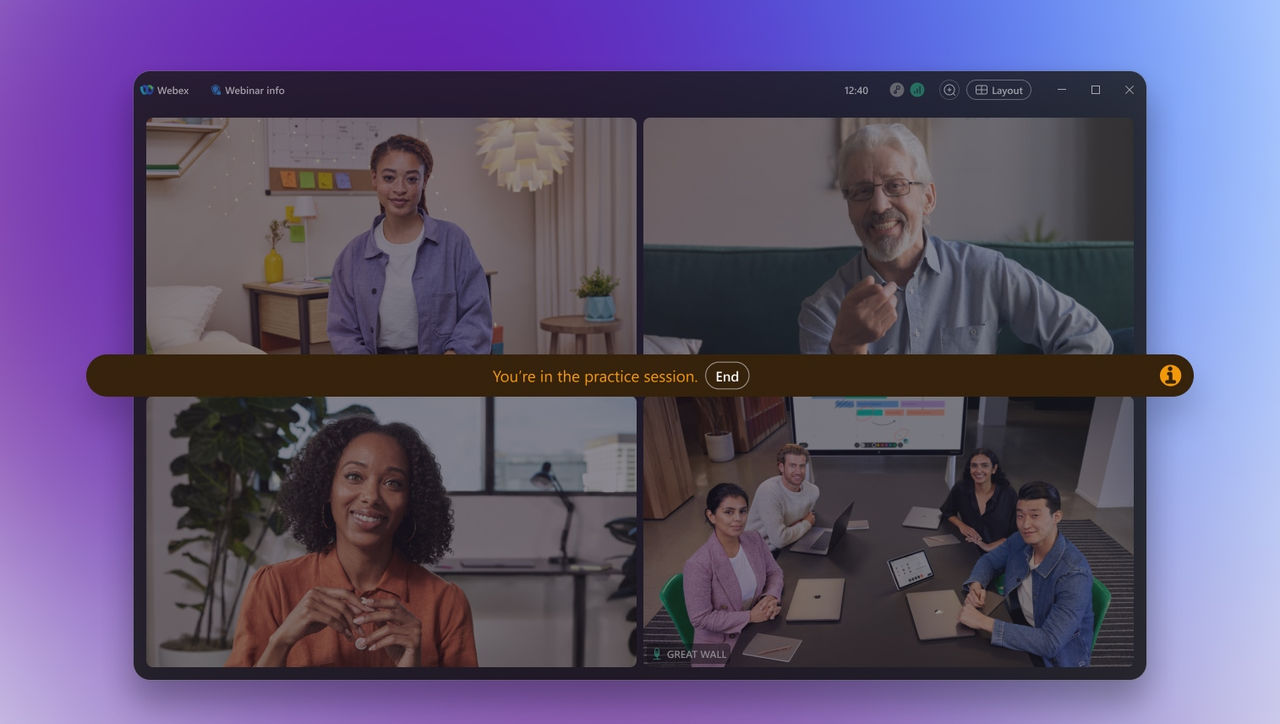
Practice before you go live.

Rehearse with co-panelists before the live event so presenters can align on content, handoffs, timing, stage views, and speaker transitions with confidence.
Present with more presence.

Create polished, professional presentations with immersive share, flexible stage controls, presenter layouts, and content management that keeps every webinar running smoothly.

Turn attendees into participants.

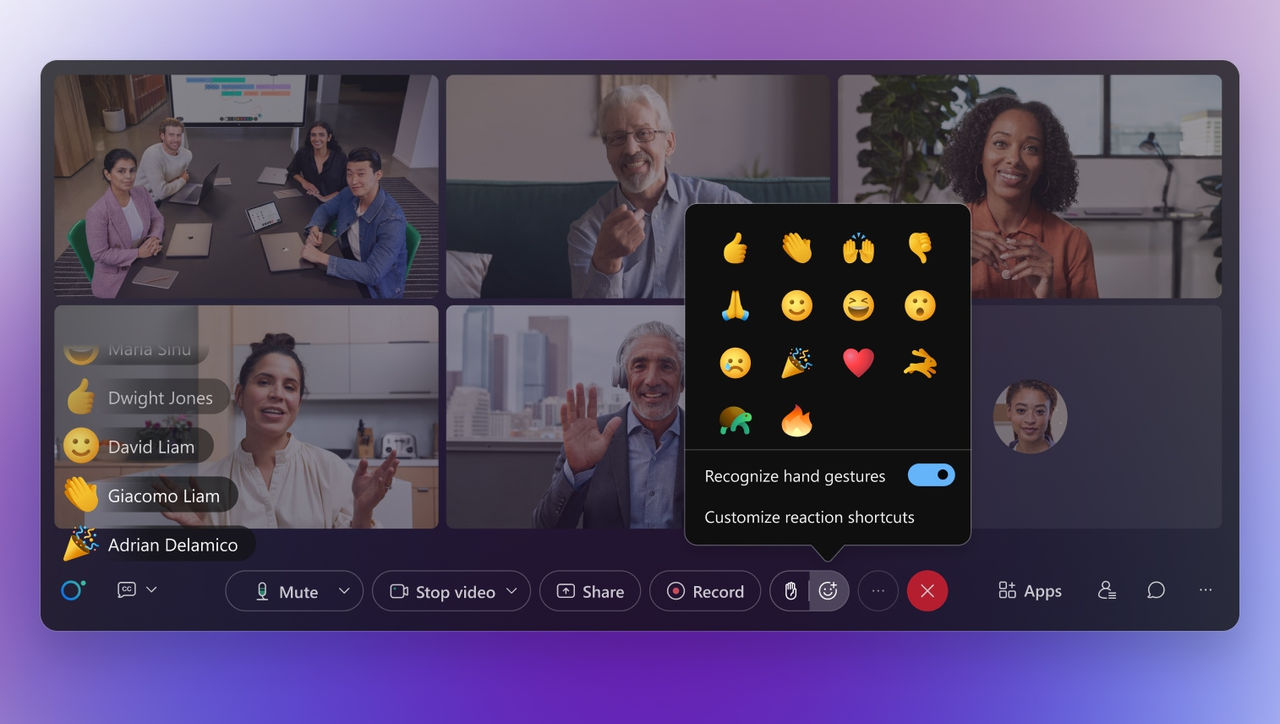
Keep audiences involved with moderated Q&A, live polling, chat, emoji reactions, gesture recognition, and interactive experiences that encourage participation throughout the event.
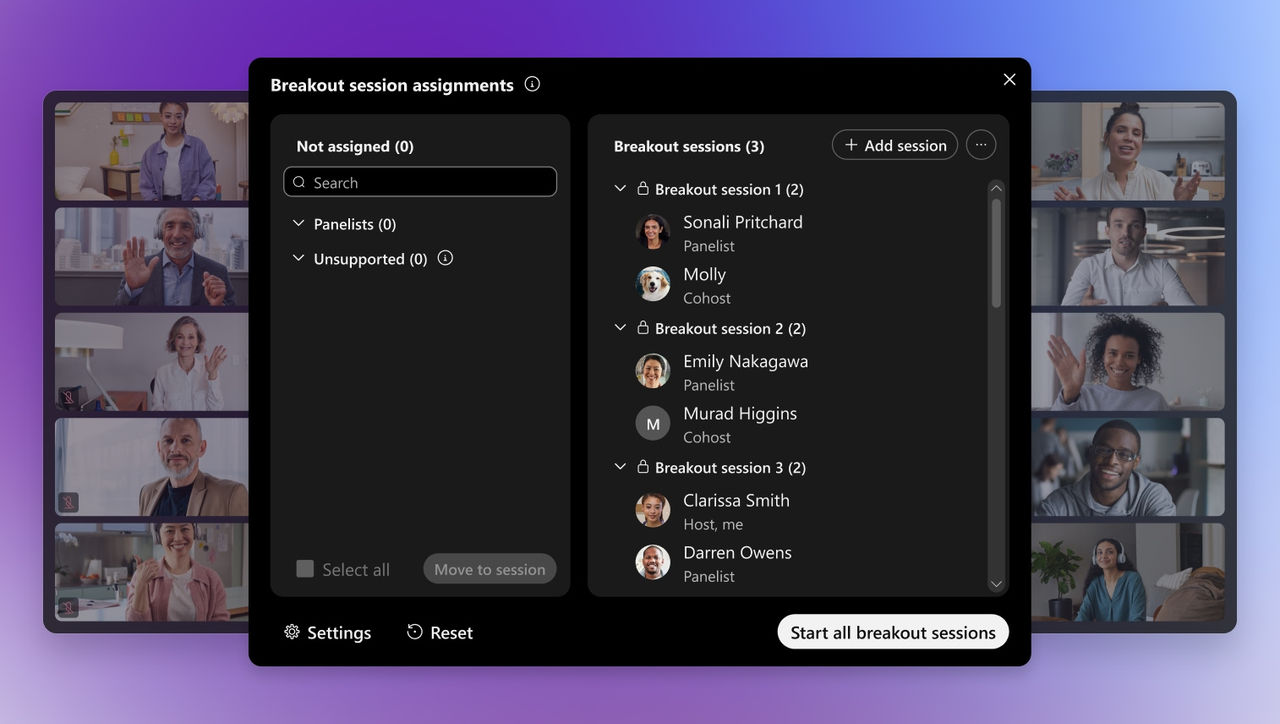
Create space for meaningful conversations.

Bring attendees together in breakout sessions where they can dive deeper into topics, connect with speakers, collaborate in smaller groups, and continue the conversation beyond the main stage.
Cisco AI Assistant
Bring every attendee in with AI-
powered context.

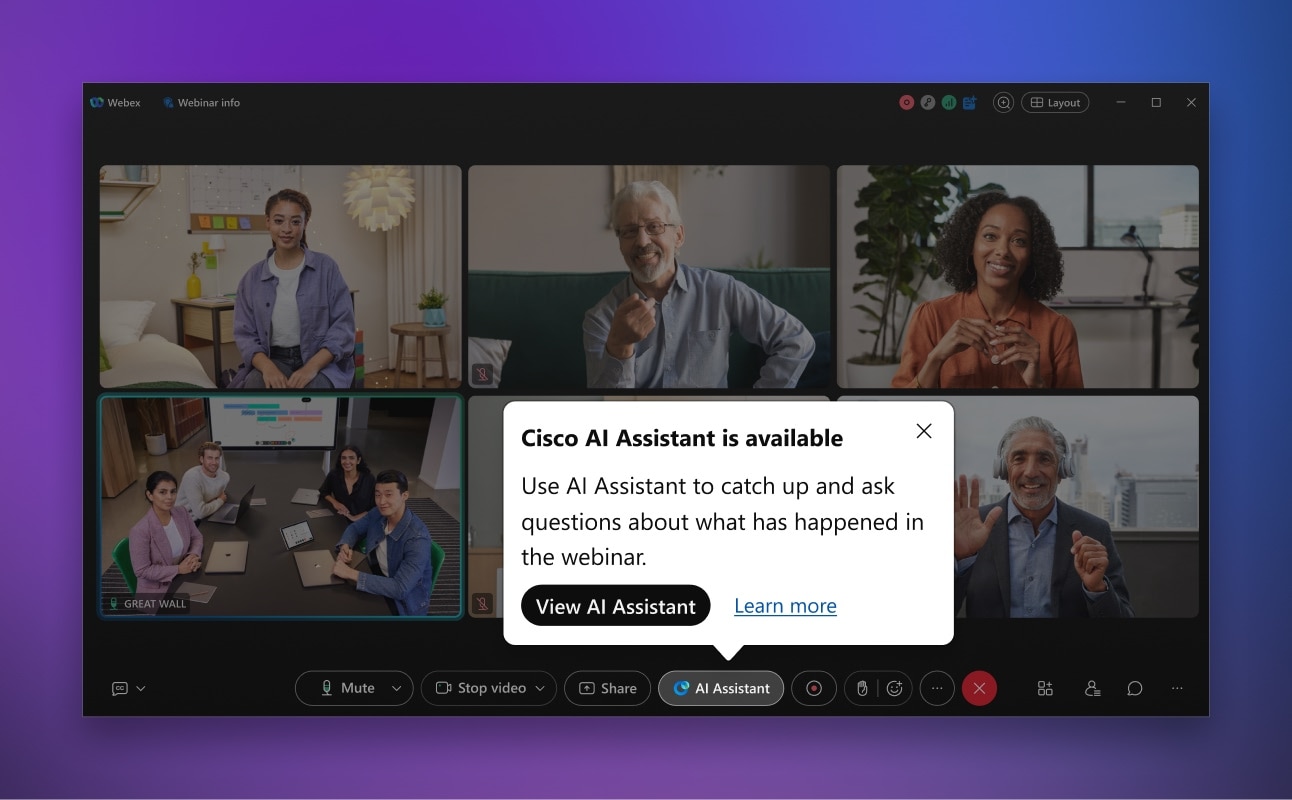
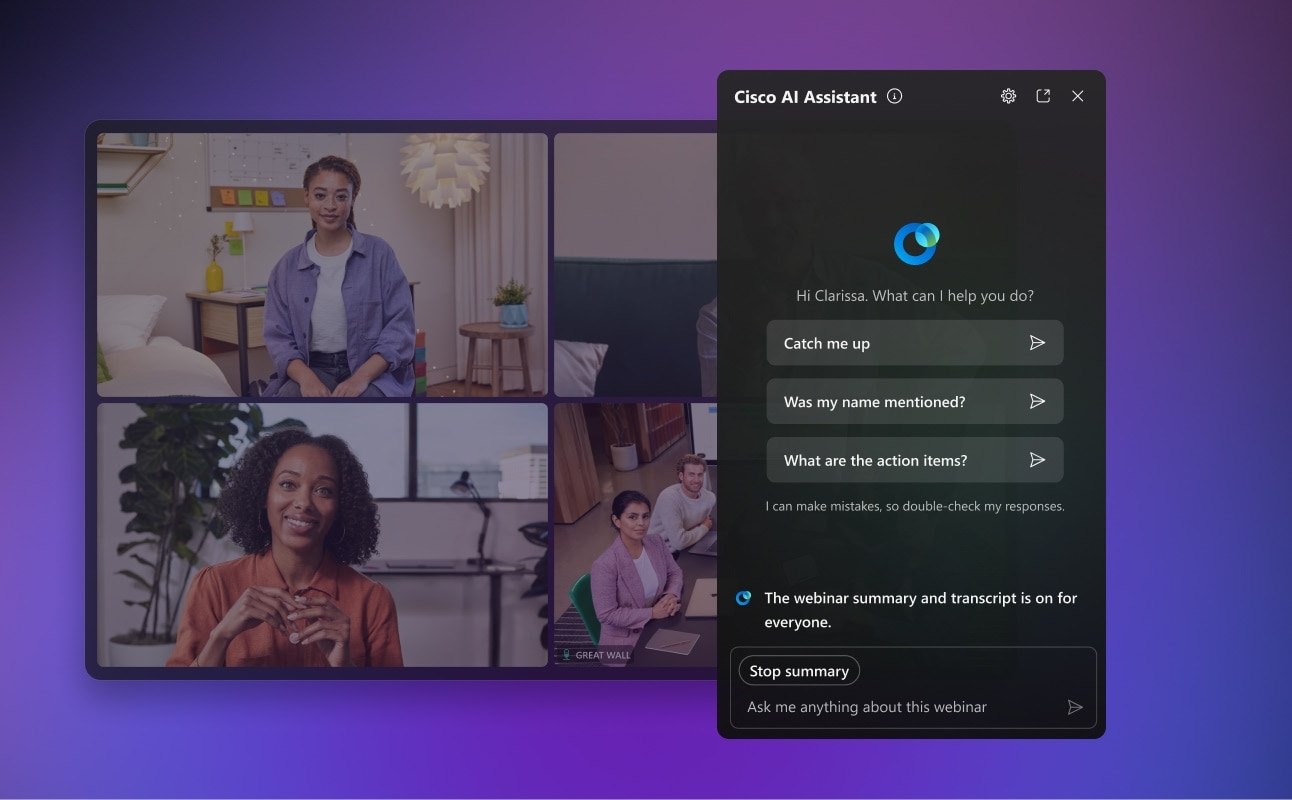
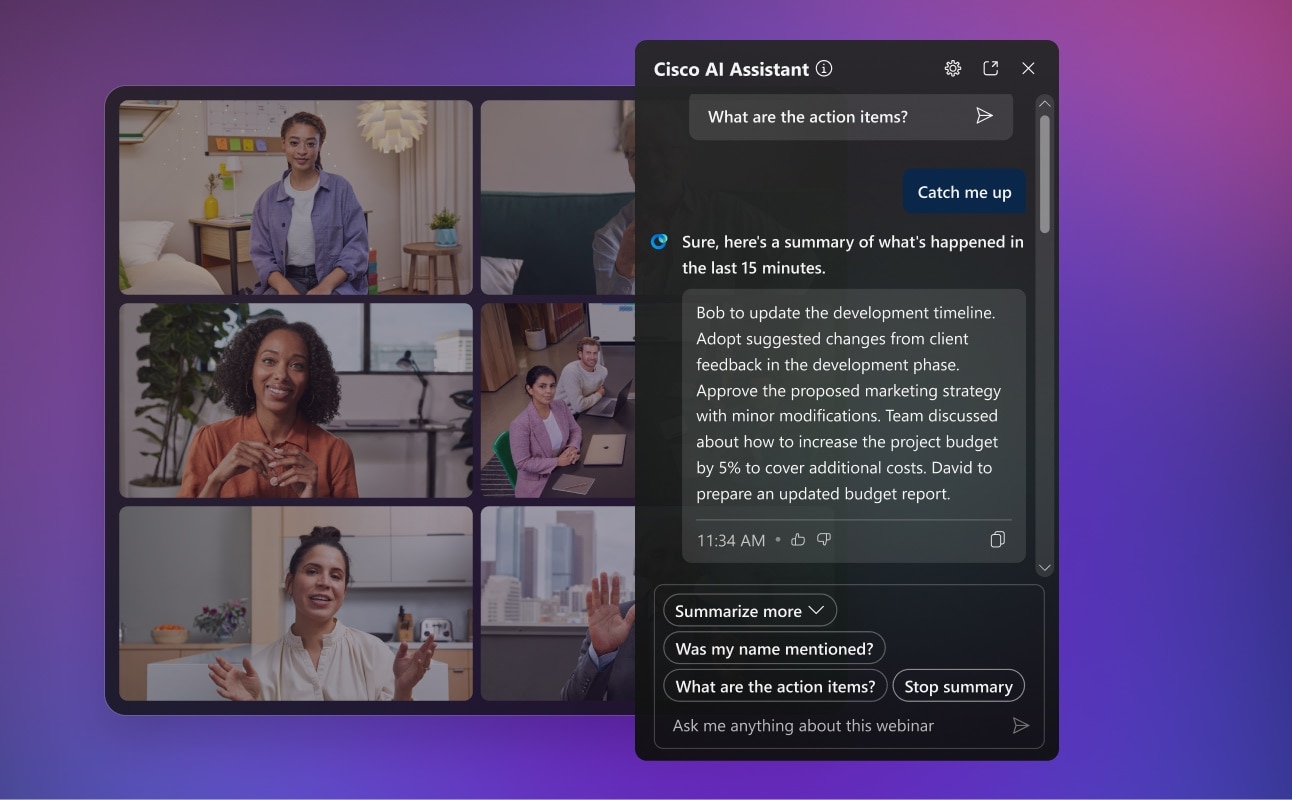
Cisco AI Assistant helps attendees catch up, see live summaries, ask questions, and review the highlights after it ends.
  • image
    Let everyone catch up quickly

    Attendees that join late or step away can get a quick AI-generated recap of what they missed, so they can re-enter the webinar without missing a beat.

  • image
    Display the key takeaways

    Provide a live AI-generated webinar summary that helps attendees track key points while the session is still in progress.

  • image
    Bring AI into the moment

    Attendees can ask Cisco AI Assistant questions during the webinar and get answers based on the live summary and shared session information.

  • image
    Include every participant

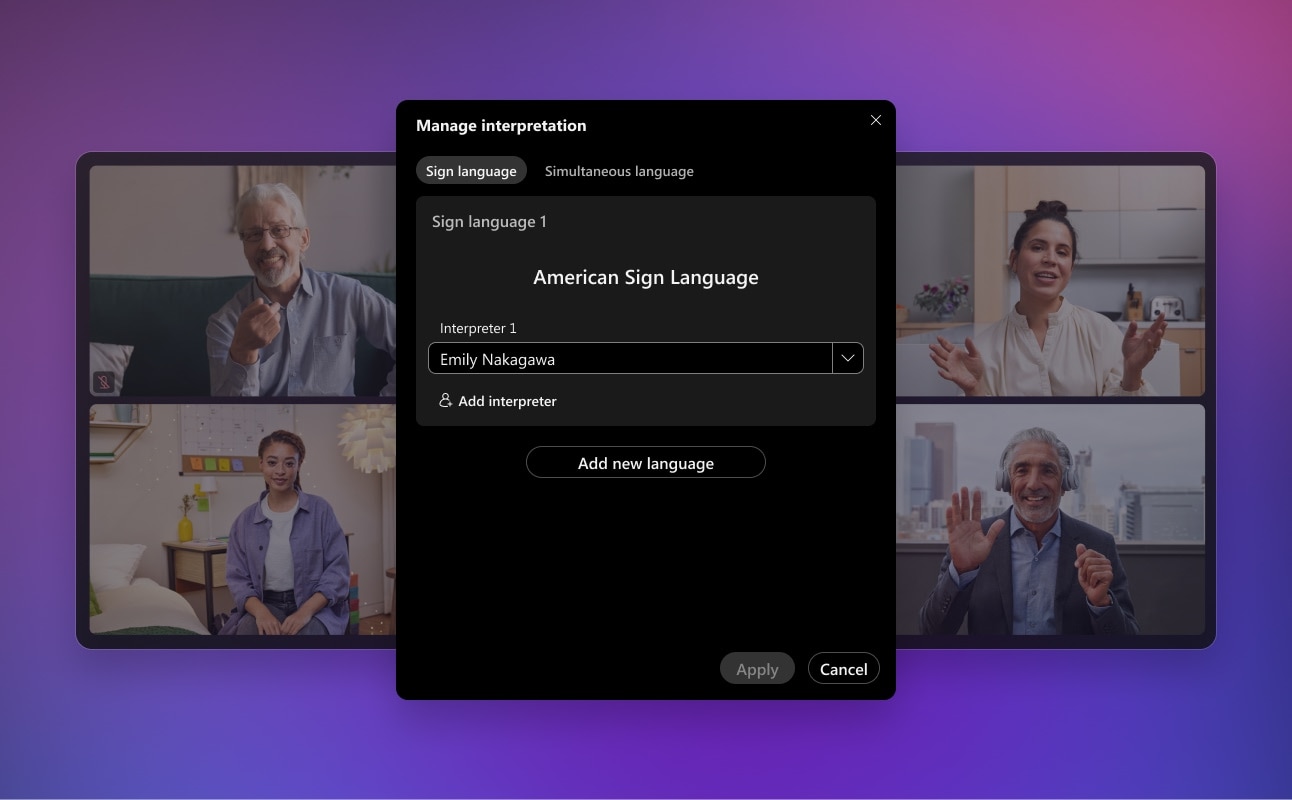
    Create a more inclusive experience with language interpretation, sign language interpretation, automated closed captions, CART support, manual captioning, and live and post-webinar transcripts.

  • image
    Provide intelligent summaries

    After the webinar, attendees receive a comprehensive summary with transcripts, highlights, and chapters so they can revisit what mattered most.

  • Trusted webinar experiences for
    every audience.

    Webex gives teams controls that help them host webinars for internal, external, and global audiences while supporting enterprise policies.

    Manage who joins.

    Manage registration, authentication, attendee roles, and access controls to help ensure the right people are in the right sessions.

    Control the experience.

    Manage stage views, content, presenters, and audience participation so sessions stay focused and professional.

    Meet enterprise
    requirements.

    Support enterprise governance with Webex security, privacy, and administrative controls designed to align with organizational policies and compliance needs.

    Real world. Real success.

    From global sports launches to company-wide town halls, Webex Webinars helps teams reach larger audiences, create more interactive moments, and bring people into experiences they can’t attend in person.

    “They felt like they were part of the championship.” USGA used Webex to bring the U.S. Open experience to fans, media, and partners at home when in-person attendance was limited.

    Overhead Door uses Webex Webinars for company updates, partner and customer communications, and sessions that bring distributed audiences across the U.S. and Canada onto one platform.

    150+
    onsite attendees
    c.2K
    virtual subscriptions

    Team DSM moved its annual launch online with Webex Webinars, expanding media and fan reach while continuing personal interviews and global team communications throughout the season.

    1/3
    Resources, at your fingertips.
    Webex Webinars Solution Overview
    Discover how Webex Webinars helps you plan, deliver, and measure secure, engaging virtual events that reach audiences at scale.
    Webex Suite AI Productivity Agents
    Meet the agents that work together seamlessly to eliminate the busywork that slows you down—so you can focus on the work that actually matters.
    Why Collaboration Needs a New Operating System
    In this independent analyst report, Craig Durr of The Collab Collective introduces a practical framework for redesigning collaboration to keep context moving across people, systems, and AI.
    The System Everything Runs On: Security, AI, and Connected Intelligence at Work
    See how we are building a system where context transfers across interactions, the platform grows smarter over time, and security is the foundation.
    FAQs
    What's the difference between Webex Webinars and Webex Meetings?

    Webex Meetings is built for interactive, two-way collaboration where everyone can share and speak. Webex Webinars is built for one-to-many broadcasts — reaching large audiences with registration, branding, moderated Q&A, and production controls, while still allowing engagement through polls, chat, and reactions. Choose Meetings for working sessions and Webinars when you're presenting to an audience.

    What's the difference between Webex Webinars and Webex Events?

    Webex Webinars focuses on scalable, presentation-style sessions with registration, rehearsal, and live engagement. Webex Events adds broader event management for in-person, virtual, and hybrid experiences — multi-track agendas, networking, ticketing, and on-site tools. Webinars is ideal for single-session broadcasts; Events suits multi-session programs and conferences.

    How many attendees can a Webex webinar host?

    Webex Webinars is designed to scale to large, global audiences, with capacity varying by plan and license. The platform supports language options, accessibility features, and smooth participation as audiences grow. Check plans and pricing for capacity by tier.

    Do attendees need to register to join a webinar?

    Hosts can require registration to capture attendee details and control access, or allow simpler joining depending on the event. Registration pages, emails, and reminders can be branded and customized, and attendee data can flow into your CRM and marketing tools through the App Hub for lead follow-up after the event.

    Can I rehearse a webinar before going live?

    Yes. Presenters and co-panelists can run a private rehearsal before the live event to align on content, handoffs, timing, stage views, and speaker transitions. This lets the team work out the flow without attendees seeing the practice session.

    How do attendees engage during a Webex webinar?

    Attendees can take part through moderated Q&A, live polling, chat, emoji reactions, and gesture recognition, turning passive viewers into active participants. Breakout sessions let smaller groups go deeper on topics or connect directly with speakers. Cisco AI Assistant also lets attendees catch up on what they missed and ask questions based on the live summary.

    Are Webex webinars accessible and available in multiple languages?

    Yes. Webex Webinars supports language interpretation, sign language interpretation, automated closed captions, CART support, and live and post-webinar transcripts. These accessibility options help global and mixed-ability audiences participate fully, whatever their language or communication preferences.

    Are Webex webinars secure enough for external and enterprise audiences?

    Yes. Hosts manage registration, authentication, attendee roles, and access controls so the right people are in the right sessions, while IT governs the experience through Control Hub with Webex security, privacy, and administrative controls. This supports webinars for internal, external, and global audiences under enterprise policy. See security, privacy and compliance.

    Start delivering more engaging webinars.

    Host scalable, interactive webinar experiences with engagement, language support, branding, rehearsal, and production tools built for Webex Suite.