


Conference room technology: a complete guide
Modern meeting rooms aren’t passive spaces—they’re intelligent environments that adapt to how people work. From AI-powered cameras and real-time transcription to smart scheduling panels and centralized management, the right conference room technology transforms hybrid meetings from frustrating to seamless. Here’s what to invest in and why.


Conference room technology: a complete guide
Conference room technology encompasses the hardware, software, and intelligent systems that power modern meeting spaces, enabling teams to communicate, collaborate, and make decisions more effectively. From small huddle rooms to executive boardrooms, today’s conference room technology goes far beyond traditional video conferencing to support hybrid work, workplace intelligence, and seamless experiences across platforms.
This guide covers why businesses are investing in conference room technology, the essential technologies that define modern meeting rooms, how to choose the right solutions, and common mistakes to avoid.
Why businesses are investing in conference room technology
The drivers behind conference room technology investment go deeper than simply “better meetings.” Three strategic priorities are accelerating adoption:
Employee retention and satisfaction
Staff expect the tools they need to do their jobs well. When meeting rooms are frustrating—bad audio, complicated setup, cameras that don’t frame properly—it erodes satisfaction. If your meeting rooms don’t meet employee expectations, your competitors’ will.
Productivity and focus
Modern conference room technology eliminates the friction that kills productivity: fumbling with cables, waiting for screens to connect, adjusting cameras manually, dealing with echo and feedback. AI-powered systems automate setup, optimize audio and video quality, and let participants focus entirely on the conversation, not the technology.
Hybrid collaboration equity
The hardest challenge in hybrid work is equity. Remote participants often feel like second-class citizens in meetings dominated by in-room attendees. Conference room technology built for hybrid work, with AI-powered cameras, intelligent audio, and real-time transcription, ensures every participant can contribute equally, regardless of where they sit.
10 essential conference room technologies
Here are the technologies that define a modern, intelligent meeting room:
1. AI-powered cameras
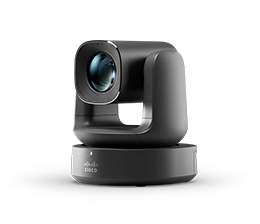
AI cameras automatically track speakers, adjust framing, and switch between close-ups and wide shots based on who’s talking. For hybrid meetings, this is transformative: remote participants see a natural, dynamic view instead of a static, zoomed-out shot of the room. In fact, Frost & Sullivan named Cisco the global leader in meeting room video conferencing devices in 2025, driven by AI camera intelligence.
2. Intelligent audio systems
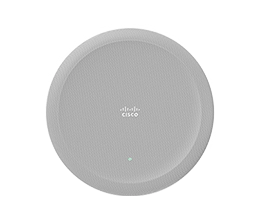
Modern conference room audio combines microphones, speakers, and AI-powered voice processing to deliver clear, balanced sound throughout the room. Directional microphones isolate speakers. Noise cancellation removes HVAC hum and background chatter. Echo suppression prevents feedback. For remote participants, audio quality often matters more than video quality.
3. Large-format displays
LED displays have largely replaced projectors in modern meeting rooms. They offer brighter, higher-resolution images without the need for dimmed lighting. Dual-screen setups are increasingly common—one screen for shared content, one for participant video—ensuring remote faces aren’t hidden when someone shares a presentation.
4. Digital whiteboards
Interactive digital whiteboards support real-time annotation, diagramming, and brainstorming for both in-room and remote participants. Content created on the whiteboard is instantly shareable and saveable. This means no more photographing a physical board and hoping the resolution is readable.
5. Room scheduling panels
Dedicated touch panels mounted outside meeting rooms display availability, current occupancy, and booking schedules. They sync with calendar systems in real time and can automatically release unused bookings to prevent “ghost meetings” from taking up space. Cisco’s Room Navigator provides this functionality with integrated occupancy sensing and one-tap booking.
6. Wireless connectivity and content sharing
Wi-Fi 6, Bluetooth 5, and wireless presentation tools like AirPlay and Miracast let participants share content from any device without cables. This simplifies transitions between presenters, eliminates adapter hunting, and keeps the meeting flowing.
7. Real-time transcription and translation
AI-powered transcription converts spoken discussion into text in real time, creating accessible live captions and searchable meeting records. For global teams, real-time translation in 100+ languages breaks down barriers so every participant can follow along in their preferred language.
8. Voice commands and room controls
Voice-enabled meeting rooms let participants join calls, adjust lighting, control displays, and manage recordings through natural speech. Hands-free control reduces setup time and makes rooms more accessible for participants with physical limitations.
9. Environmental sensors and workspace intelligence
Modern conference room technology includes occupancy sensors, air quality monitors, and utilization tracking that feed data into workspace analytics platforms. This intelligence helps facilities teams optimize room configurations, identify underutilized spaces, and maintain comfortable meeting environments.
10. Centralized management platforms
Enterprise-grade conference room technology requires centralized management—that is, a single dashboard where IT can monitor device health, push software updates, troubleshoot issues, configure settings, and analyze utilization across hundreds of rooms. Without centralized management, scaling conference room technology across an organization becomes unsustainable.
Conference room technology by room type
Different spaces need different solutions. Here’s what to prioritize based on room type, informed by the best video conferencing equipment guide for 2026:
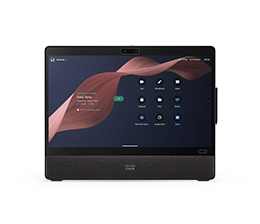
- Personal desks and hot desks: All-in-one monitors with built-in cameras, microphones, and speakers. Single-button meeting join. Integration with desk reservation systems.
- Focus rooms and jump spaces: Compact all-in-one devices with intelligent cameras and noise cancellation. Quick setup for ad-hoc meetings. Privacy indicators.
- Huddle rooms (2–4 people): Wide-angle cameras, integrated audio, wireless sharing. Setup should be near-instant—just walk in and start.
- Standard conference rooms (6–12 people): Dedicated room systems with AI cameras, table microphones, scheduling panels, and dual displays. Full platform interoperability.
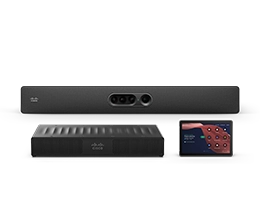
- Large boardrooms and training rooms: Multi-camera PTZ systems with cinematic framing, professional audio arrays, and content cameras. Solutions like the Cisco Room Kit Pro G2 replace complex multi-vendor AV setups with a single, simplified architecture.
How to choose the right conference room technology
Before investing, ask these questions:
- Is it compatible with your existing systems? Check network bandwidth, port requirements, software dependencies, and platform certifications. Hidden infrastructure costs can double the real price of a solution.
- Does it support hybrid equity? Technology should deliver an equal experience for in-room and remote participants. AI cameras, intelligent audio, and real-time transcription are the baseline for hybrid-ready rooms.
- Is it secure? Confirm encryption, multi-factor authentication, regular firmware updates, and compliance with your industry’s standards. Meeting rooms handle sensitive conversations.
- Is it intuitive to use? If people need training to start a meeting, adoption will suffer. The best conference room technology is invisible—walk in, tap one button, and go.
- Can IT manage it at scale? Centralized management, remote monitoring, and automated updates are non-negotiable for organizations with more than a handful of rooms.
- Can you plan before you buy? Tools like Cisco Workspace Designer let you design rooms in 3D, get device recommendations, and generate bills of materials before purchasing, eliminating guesswork and integration surprises.
Common conference room technology mistakes
- Investing in video but neglecting audio: Participants tolerate imperfect video far longer than garbled audio. Audio should be at least equal priority in your conference room technology budget.
- Deploying the same setup in every room: A huddle room and a boardroom have fundamentally different needs. One-size-fits-all purchasing wastes money in small rooms and underdelivers in large ones.
- Ignoring the remote participant experience: If your technology is optimized for the people in the room and remote attendees are an afterthought, you haven’t solved the hybrid problem.
- Buying hardware without a management strategy: Dozens of devices across multiple floors and buildings require centralized monitoring, updates, and troubleshooting. Plan for management at scale from day one.
- Locking into a single meeting platform: Choose technology that works across Webex, Teams, Zoom, and Google Meet—not just one.
Modern conference room technology from Cisco
Cisco Devices are intelligent workplace devices designed to power the full meeting and collaboration experience, from video and audio to sensors, analytics, and management. Powered by RoomOS, they deliver AI-powered camera intelligence, noise removal, real-time transcription, and cinematic meeting modes out of the box.
The Webex platform brings together collaboration software, AI-powered capabilities, and enterprise-grade security while supporting an open, platform-independent ecosystem including integrations with Zoom, Microsoft Teams, and Google Meet. IT teams manage everything from Control Hub, a single dashboard for device health, software updates, room analytics, and workspace intelligence across your entire deployment.
Explore Cisco Devices and discover how intelligent conference room technology can transform your meeting spaces.
Frequently Asked Questions About Conference Room Technology
Related Resources
- The best video conferencing equipment for 2026
- Cisco named leader in Frost Radar: meeting room video conferencing
- Introducing RoomOS 26: innovation that powers connection
- Room Kit Pro G2, Desk Pro G2 & Wireless Phone 9821
- What’s new in Cisco Workspace Designer
- 6 new ways to transform workspace reservation
- Work your way: meet on any platform with Cisco RoomOS
- The best collaboration tools for hybrid teams


