


Hybrid meeting solutions: a complete guide
The biggest challenge in hybrid work is equity. Remote participants shouldn’t feel like they’re watching a meeting through a keyhole while in-room attendees run the show. The right hybrid meeting solution closes that gap with intelligent cameras, AI-powered summaries, seamless integrations, and tools that make every participant equally present. Here’s what to look for.


Hybrid meeting solutions: a complete guide
The question is, are your organization’s hybrid meetings productive, or painful? The right hybrid meeting solution makes the difference between remote participants who feel like equals and remote participants who feel like afterthoughts.
This guide covers why organizations are investing in hybrid meeting solutions, the essential features that define a strong platform, how to evaluate solutions, common pitfalls to avoid, and how AI is transforming what hybrid meetings can be.
Why organizations adopt hybrid meeting solutions
Hybrid meeting solutions are a strategic investment. Here’s what’s driving adoption:
Flexibility and talent access
Hybrid meeting solutions let employees join from any location and time zone, making it possible to hire talent anywhere and accommodate schedules that don’t revolve around commutes. For distributed teams, this is the operating model.
Better collaboration, not worse
The common fear is that remote participation degrades collaboration. With the right technology, the opposite is true. AI-powered meeting tools, like intelligent cameras, real-time transcription, and automatic summaries, create meetings that are more focused, more documented, and more actionable than traditional in-person meetings.
Cost savings
When employees don’t need to commute or travel for meetings, both personal and organizational costs drop. Companies save on office space, travel budgets, and meeting room infrastructure. Hybrid meeting solutions let you invest in technology instead of square footage.
Employee retention and satisfaction
Essential features in a hybrid meeting solution
Not all hybrid meeting tools are created equal. These features separate effective solutions from frustrating ones:
1. AI-powered audio and video quality
Audio and video quality are the single biggest pain points in hybrid meetings. The right solution provides intelligent noise removal that eliminates background distractions, voice optimization that enhances speaker clarity, and AI-powered cameras that track speakers and auto-frame participants. Without these, remote attendees strain to hear and see, causing them to mentally check out.
2. Real-time collaboration tools
Effective hybrid meetings require shared whiteboards, co-editing, reactions, polling, and Q&A tools that give remote participants the same ability to contribute as those in the room. Real-time collaboration closes the equity gap between in-person and remote attendees.
3. AI meeting summaries and action items
AI-powered meeting summaries capture key decisions, discussion points, and action items automatically so participants can focus on the conversation, not on taking notes. Late joiners get instant catch-up summaries without disrupting the meeting. Post-meeting, everyone has a shared, actionable record.
4. Real-time transcription and translation
Live transcription creates accessible captions during the meeting. For global teams, real-time translation in 100+ languages lets participants speak naturally in their own language while others follow along in theirs. This is a game-changer for multinational organizations that previously required dedicated interpreters.
5. Seamless integration with existing tools
Your hybrid meeting solution needs to connect with the tools your teams already use, like calendars, project management software, CRM, messaging platforms, and file storage. If employees have to manually transfer meeting outputs (notes, action items, recordings) into other systems, you’ve lost most of the productivity gained.
6. Flexible scalability
A strong hybrid meeting solution scales from a two-person 1:1 to a 10,000-person all-hands without performance degradation. It supports multiple meeting formats (team meetings, webinars, training sessions, client presentations) and works across every device and operating system. As your organization grows, your platform should grow with it.
7. Multi-platform interoperability
Most enterprise IT teams support two or more meeting platforms. Your hybrid meeting solution should work across Webex, Microsoft Teams, Zoom, and Google Meet—not force everyone onto a single platform. Cisco RoomOS devices support fully featured meetings on any major platform from a single device.
8. Enterprise-grade security and compliance
While hybrid meetings do expand the attack surface, the right solution provides end-to-end encryption, meeting passwords, waiting rooms, role-based access, transport-layer security, firewall compatibility, and compliance with standards like SOC 2, HIPAA, GDPR, and FedRAMP. Security is critical in a hybrid model.
Solving the hybrid meeting equity problem
The hardest challenge in hybrid meetings isn’t technology—it’s ensuring remote participants can contribute as effectively as those in the room. Here’s how the best solutions address this:
- AI camera framing: Intelligent cameras detect and frame each in-room speaker individually, so remote participants see close-ups rather than a distant, static shot of the entire room.
- Equal audio pickup: Table microphone arrays and beamforming technology ensure remote participants hear every voice in the room clearly, not just the person closest to the mic.
- Shared collaboration canvas: Digital whiteboards, annotations, and real-time document editing give remote participants the same ability to contribute visually as someone standing at a physical whiteboard.
- Hand-raise and reaction features: Remote participants need a way to signal that they want to speak without shouting over in-room conversation. Digital hand-raises and reactions create structure.
- Catch-up summaries: When remote participants join late due to connection issues or schedule conflicts, AI catch-up summaries bring them up to speed instantly.
Setting up a hybrid-ready meeting room
The physical meeting room determines the hybrid experience. Here’s what to get right, based on best practices for conference room technology:
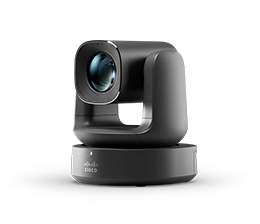
- Camera placement: Position cameras at eye level facing the meeting table. AI-powered cameras with speaker tracking and intelligent framing are the minimum standard for hybrid meetings.
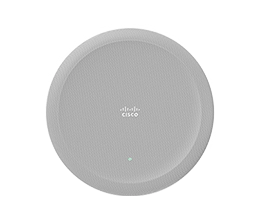
- Audio coverage: Use ceiling or table microphones that capture voices throughout the room. Test audio from every seat; if the person farthest from the mic sounds muffled to remote participants, it’s not working.
- Display positioning: Mount displays where in-room participants can see remote attendees naturally. Dual screens, one for video and one for shared content, prevent remote faces from disappearing when someone presents.
- Wireless content sharing: Eliminate cables and adapters. Wireless sharing via AirPlay, Miracast, or native platform sharing lets any participant present instantly from any device.
- Room scheduling: Room scheduling panels outside the door show availability, prevent double-bookings, and auto-release ghost meetings.
- Network bandwidth: Hybrid meetings consume more bandwidth than audio calls. Test your network capacity before scaling, especially for rooms running 4K video and wireless sharing simultaneously.
Hybrid meeting best practices
Technology is only half the equation. Meeting culture matters just as much:
- Default to hybrid-first design: Even when most participants are in the room, design the meeting for the remote attendees first. If it works for them, it works for everyone.
- Camera on, always: In-room cameras should always be active. Remote participants in a “blind” meeting—where they can’t see who’s talking—disengage quickly.
- Rotate the facilitator role: Assign someone to monitor the chat, watch for raised hands, and ensure remote voices are heard. This prevents in-room dominance.
- Start and end on time: Hybrid meetings that run over disproportionately impact remote participants, who often have back-to-back calls with no buffer.
- Use AI summaries instead of manual recaps: Let the AI handle documentation. Spending the last five minutes of every meeting recapping action items is a solved problem.
- Survey regularly: Ask remote participants specifically about their experience. Their feedback reveals gaps that in-room attendees never notice.
Common hybrid meeting mistakes to avoid
- Treating remote participants as secondary: If the meeting is designed for the room and remote attendees are an afterthought, equity fails. In-room attendees have side conversations, block the camera, and forget to repeat questions, which alienates remote participants.
- Investing in video but neglecting audio: Remote participants can tolerate imperfect video but will disengage from garbled audio within seconds. Audio quality should be the top priority.
- Using consumer-grade tools for enterprise needs: Free tools work for casual calls. Enterprise hybrid meetings need centralized management, security compliance, AI capabilities, and integration with business systems.
- Ignoring meeting fatigue: Back-to-back hybrid meetings without breaks are exhausting for everyone, but especially for remote participants staring at screens all day. Set organizational norms around meeting length and buffer time.
- Not training teams on new tools: Deploying a powerful hybrid meeting platform without training means most features go unused. Invest in onboarding and ongoing tips to drive adoption.
Hybrid meetings with the Webex Suite
The Webex Suite brings together meetings, messaging, calling, and collaboration tools in a single, AI-powered platform designed specifically for hybrid work. Every feature is built with hybrid equity in mind, ensuring remote and in-person participants can contribute equally.
Key hybrid meeting capabilities include:
- AI-powered camera intelligence with speaker tracking and intelligent framing
- Background noise removal and voice optimization
- Automatic meeting summaries with decisions, highlights, and action items
- Catch-up summaries for late joiners
- Real-time transcription and translation in 100+ languages
- Digital whiteboarding and real-time co-editing
- Seamless integration with calendars, project management, CRM, and messaging
- Multi-platform support: fully featured Webex, Teams, Zoom, and Google Meet from a single device
- Enterprise-grade security with encryption, compliance, and centralized management
Whether employees are joining from a conference room, a home office, or across time zones, the Webex Suite ensures every participant feels present and engaged. Explore the Webex Suite for hybrid meetings and collaboration.
Frequently Asked Questions About Hybrid Meeting Solutions
Related Resources
- The best video conferencing equipment for 2026
- The best collaboration tools for hybrid teams
- A comprehensive guide to conference room technology
- Cisco AI Assistant on devices: never miss a beat
- Introducing the most advanced AI-powered platform for hybrid work
- Work your way: meet on any platform with Cisco RoomOS
- For effective team collaboration, turn your video on
- Webex Suite earns 2025 PCMag Editor’s Choice Award


